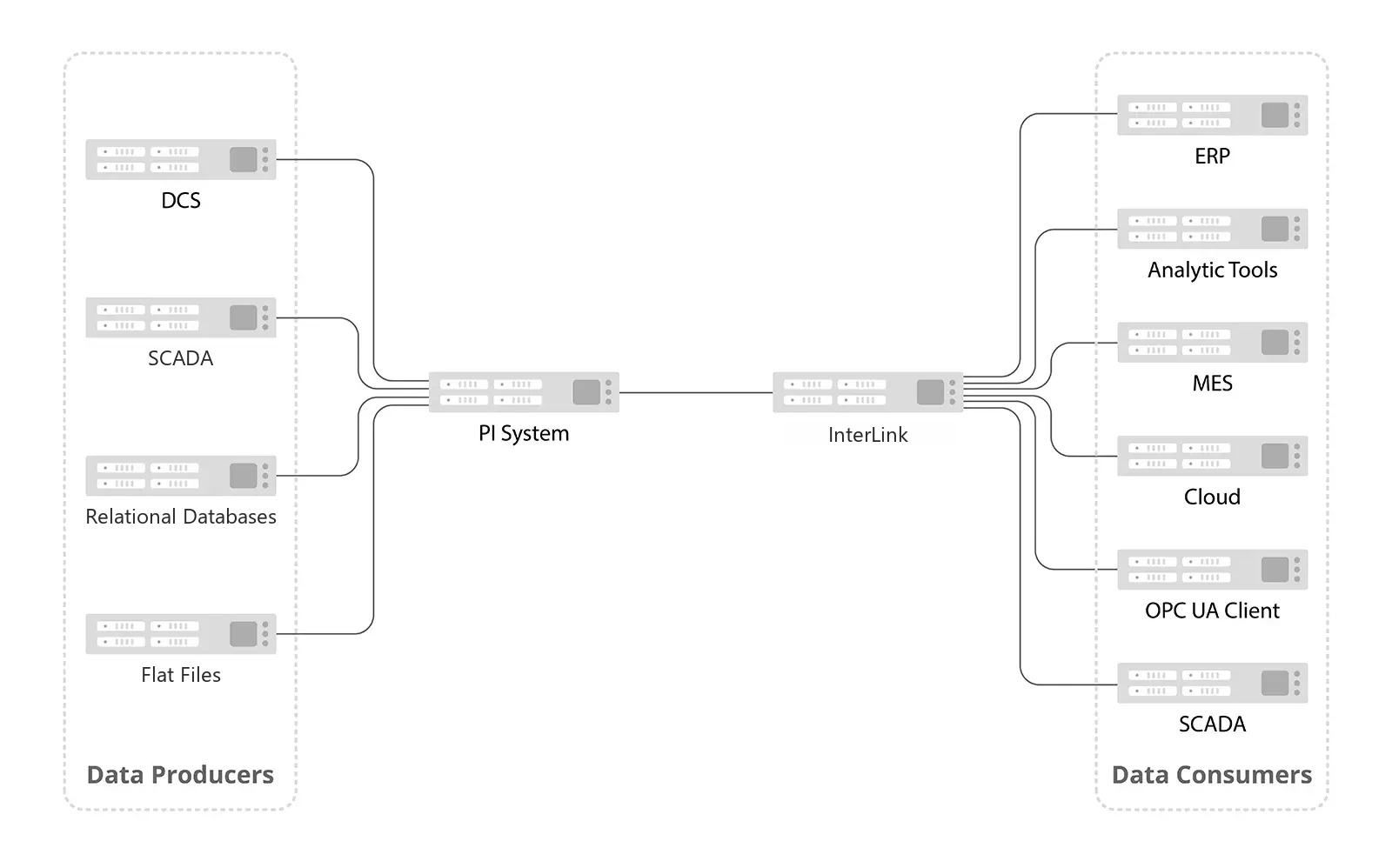
InterLink
Bridge your AVEVA PI System™ to any OPC UA client — securely, in minutes
CSE ICON InterLink connects Data Archive and Asset Framework (AF) to the OPC UA ecosystem with enterprise security, real-time subscriptions, and zero-code configuration.
Data Archive
Connect directly to Data Archive servers and expose points via OPC UA.
Easy Direct Add
Node ID is the PI point name.
Multi-Archive Support
Connect to multiple Data Archives simultaneously. Support Collectives.
Real-Time Subscriptions
Subscribe to value changes — pushed to OPC UA clients automatically.
Historical Data Access
Read time-series data with configurable date ranges.
Write-Back
Write values back to PI points from any OPC UA client.
Flexible Authentication
Windows integrated auth or explicit credentials (DOMAIN\user).
Server Discovery
Automatically discover available Data Archive servers on the network.
Connection Resilience
Automatic retry with configurable intervals and attempt limits.
Built on AF SDK
All the functionality you are used to.
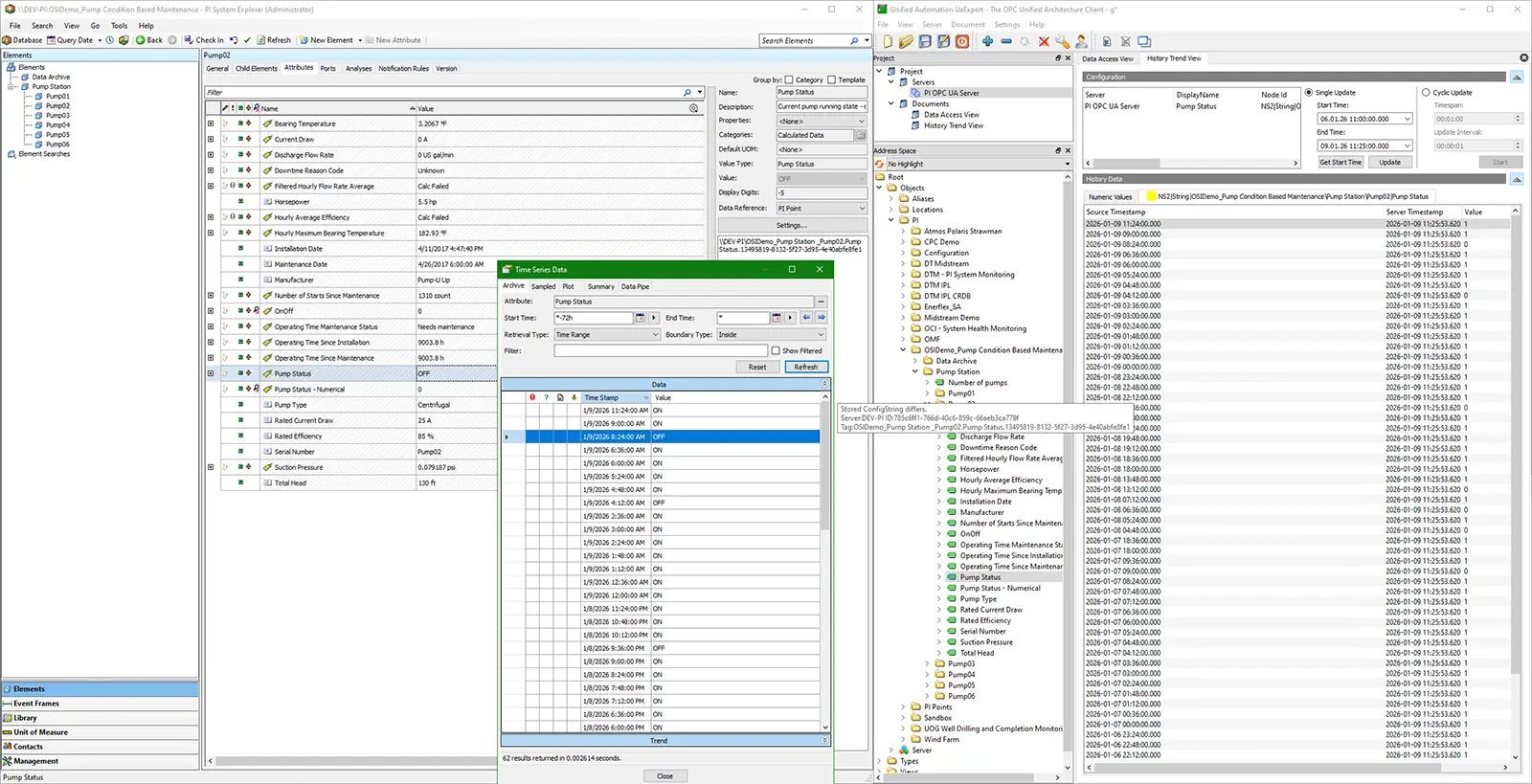
PI data is exposed with full fidelity — timestamps, quality, and values translate exactly
Asset Framework (AF)
Navigate AF hierarchies and expose attributes as OPC UA nodes.
Full Hierarchy Browsing
Navigate AF databases → elements → attributes as OPC UA folders and variables.
Easy Direct Add
Node ID is the AF Path.
Multi-Server Support
Connect to multiple AF servers simultaneously.
Attribute Subscriptions
Real-time value change notifications on AF attributes.
Historical Reads
Time-series data retrieval from AF attribute history.
Write-Back
Write values to AF attributes from OPC UA clients. Supports PI Point and None data references.
OPC UA Server
A standards-compliant OPC UA server with enterprise security.
Standards Compliant
Built on the OPC Foundation .NET Standard SDK.
Security
Basic256Sha256 with SignAndEncrypt.
Dynamic Namespaces
Each Data Archive and AF Server gets its own OPC UA namespace, auto-populated.
Lazy Hierarchy Loading
Deep hierarchies populate on-demand for fast startup.
Certificate Management
Auto-generate server certs, trust/reject client certs via web UI.
Configuration & Management
Web-based configuration.
Web-Based Dashboard
Configure and monitor from a browser.
Hot Reload
Change adapter settings without restarting the service.
Real-Time Logs
Live log streaming with level filtering.
Config Backups
Automatic timestamped backups on every config change.
Adapter Lifecycle
Add, remove, enable, or disable adapters at runtime.
Security
Enterprise-grade security at every layer.
Windows Authentication
Log into the management UI with domain or local credentials.
Certificate Trust Store
Import, approve, reject, and manage OPC UA client certificates.
DPAPI Credential Encryption
Stored passwords encrypted with Windows DPAPI.
JWT API Security
Internal APIs protected with JWT tokens.
Group-Based Access
Restrict management UI access to a specific local group.
RSA-Signed Licensing
Machine-bound licenses with RSA signature validation.
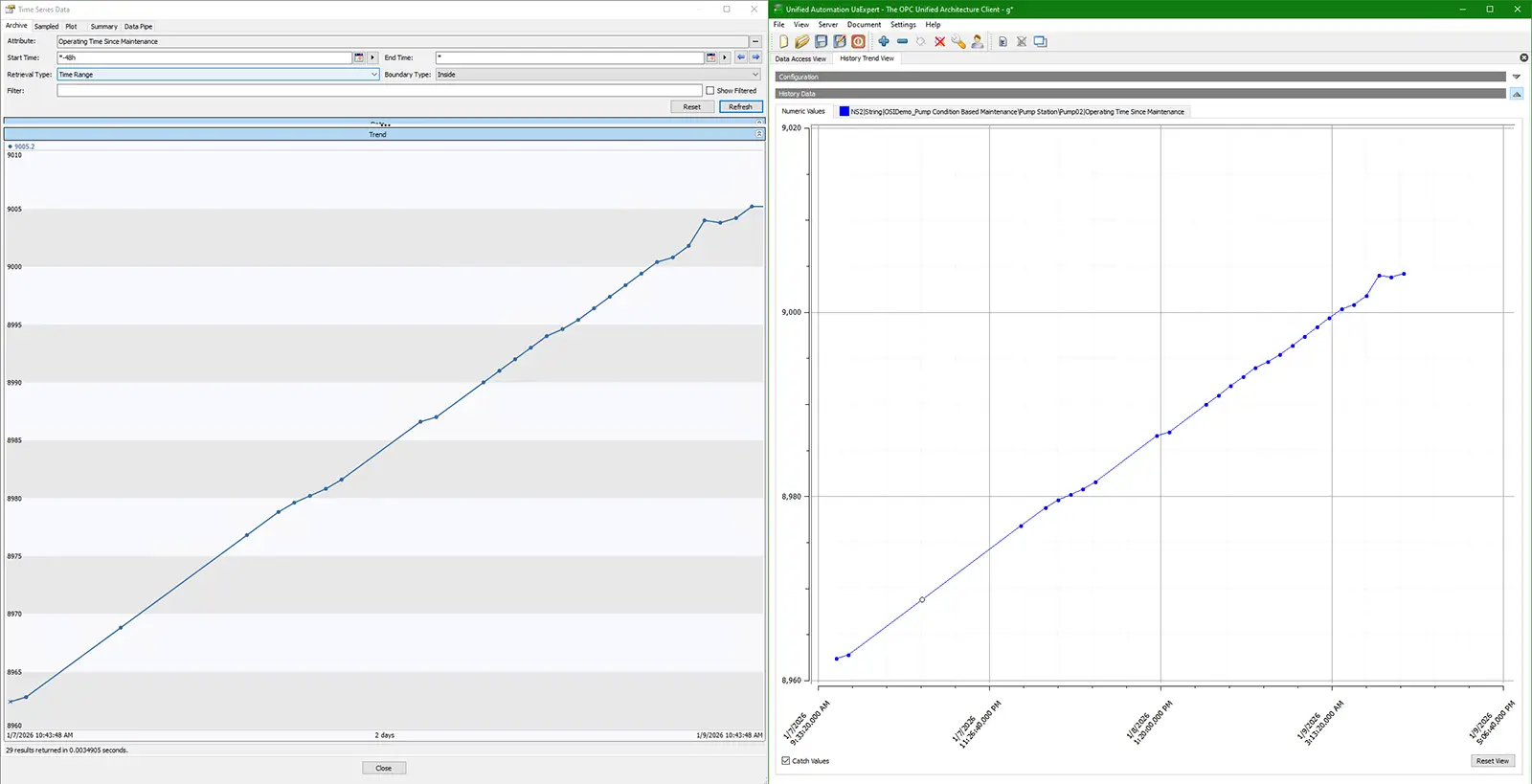
Historical data reads return identical results whether accessed through PI or OPC UA
Deployment
Runs as native Windows services with simple administration.
Windows Services
Runs as two Windows services (DataProcessor + ConfigMonitor).
Single Config File
One config.json governs everything — version-controllable.
Auto-Migration
Config file automatically upgraded when you update InterLink.
Structured Logging
SQLite + file logging with configurable retention.
CSE ICON is an AVEVA Endorsed System Integrator
Ready to bridge your PI System?
See what's coming next on our roadmap, or get in touch to learn more.
© 2026 CSE ICON, Inc. All rights reserved.